• Home
  • About
  • Little Leaf | My Web Design Business
  • What do you want to do?
    • Project 333 – Capsule Wardrobe
    • Understand what miscarriage is like
    • Read a pep talk
    • Travel to Puerto Rico
  • Contact
    • Advertise & Disclosure
  • Twitter
  • Instagram

Our Little Apartment

Less Stuff, More Life.

  • Minimalism & Decluttering
    • How I Learned to Stop Being a Slob and Started Cleaning up After Myself.
    • Decluttering, Cleaning, and Saving Money in the New Year.
    • Why I Want to be A Minimalist.
    • How to Determine When You have Enough Stuff.
    • On A Bit of Minimalist Travel // Why & How to Pack Lighter.
    • How Routines Have Made My Life Better.
    • A Tiny Christmas.
    • Why I Take a Social Media Break.
    • Or Do Without.
    • All posts about minimalism & decluttering
  • Saving Money
    • My Cleaning & Meal Planning Routines.
    • How and Why We Budget.
    • Doing a Buy Nothing Month.
    • Choosing between Convenience and Values.
    • Frugal Tips
    • 6 Ways We Save Money on Groceries.
    • My Favorite Little Ways to Save Money.
    • Being a One Car Family, Part 1.
    • Being a One Car Family, Part 2.
    • All posts about frugality & saving money
  • Green Living
    • Cloth Diapering
    • 9 Ways I'm Going to be Greener at Home.
    • How to Eat Less Meat
    • Green Living: What I Use to Clean.
    • Airing my Clean Laundry.
    • Still Shampoo Free.
    • All posts about green living & sustainability
  • Motherhood
    • Miscarriage & Pregnancy Loss
    • Pregnancy Updates
    • Gabe's Birth Story
    • Theo's Birth Story
    • Everything You Need to Know about Babywearing.
    • Sleep Training Success without (Many) Tears.
    • On Careers and Ladders and Motherhood.
    • Answering Questions: Pregnancy, Childbirth, and Motherhood
    • Anxiety, Committment, and Childbirth, Oh My!
    • All posts about motherhood & parenting
  • Career & Business
    • Tools I Love for Administrative Tasks & How I Use Them.
    • How I Organize Tasks & To Do Lists.
    • My Freelance-aversary & Some Thoughts on Making Your Life What You Want.
    • How I Make Money Online.
    • Why I Use the Genesis Framework.
    • Why I Love Redbooth for Project & Task Management
    • Working from Home Tips & Time Management Strategies.
    • How Does She Do It All? She Doesn't.
    • Working Mama // Figuring Out Child Care.
    • Reader Question: Discerning A Career Path.
  • Travel
    • Our "Workcation" at the Outer Banks.
    • Traveling with a Babe.
    • Costa Rica and Puerto Rico Visit, Part 1 | Lazing about at a resort
    • Puerto Rico, Part 2 | Eating our Way Through Old San Juan
    • Where to Stay & What to Eat in Puerto Rico. (Part One)
    • What to Do & See in Puerto Rico. (Part Two)
    • Anatomy of a Mini Getaway.
    • Western Massachusetts
    • Toronto, Canada
  • Search
Career & Business

Freelance Talk // Tools I Love for Administrative Tasks & How I Use Them.

Filed Under: Career & Business 8 Comments

I am a sucker for programs and apps that makes my life easier and my business systems run more smoothly. After several years of trying (maaaaaany) different programs, I wanted to share my favorite tools for all of the administrative parts of running my web design business.  (There are a few areas I haven’t settled on my favorite tool – project and task management, specifically. I think I’ve found my favorite, but I’ve only been using it for a few weeks, so I don’t feel confident enough to say it’s The One. I’ve literally tried a dozen task management apps…I’m a junkie.)

Getting inquiries, signing contracts, and issuing invoices:

Gravity Forms
fave-tools-gravity-forms.png

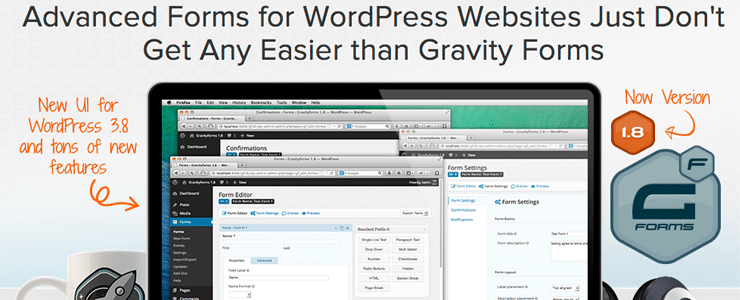
Gravity Forms* – for my contact form ($39 for 1 site-$199 for unlimited). The first contact I get from a potential client comes through a form – and I love how powerful and flexible Gravity Forms is in creating those forms. You don’t need to know any code to create the forms (you do if you want to style them, though). If you just need a simple contact form on your blog (like this), then using Jetpack’s free contact form is totally sufficient.

Harvest
fave-tools-harvest.png

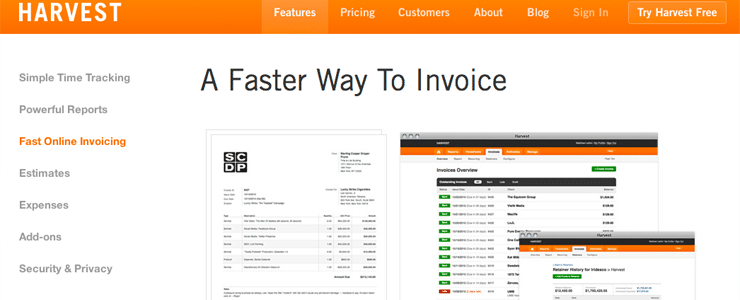
Harvest* – for estimates and invoices ($12/month). I’ve gotten so many comments on my invoicing system and how easy it is to use! I thank Harvest for that. I send estimates for new projects and invoices for deposits, ongoing hourly work, and other design fees. I love that I can configure it to send reminders, use my own branding, and most of all, that clients paying via PayPal use business eCheck, so the fees are a mere 50 cents per transaction. For a $1000 deposit, that’s awesome, considering the fees would normally be $30 through normal PayPal.

Stripe
fave-tools-stripe.png

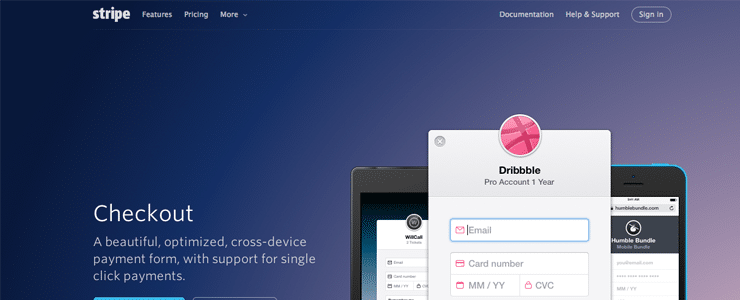
Stripe – for paying with credit card (2.9% + 30¢/transaction) The fees are higher, but it integrates well with Harvest and gives my clients more options, which I want.

EchoSign
fave-tools-echosign.png

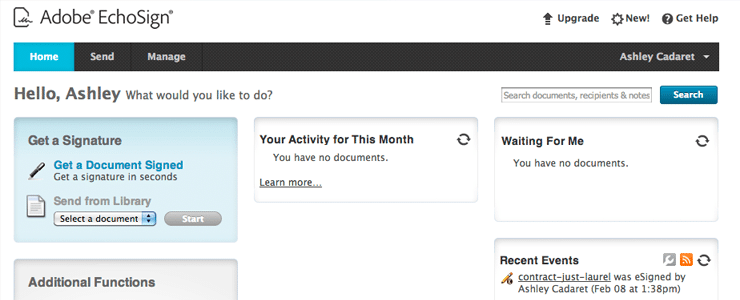
EchoSign – for contracts (free for up to 5 contracts a month). I like to have everything digital instead of paper, if possible. Being able to digitally sign contracts is fantastic because it’s faster (and thus, the project can start sooner!) and I don’t have to worry about filing paperwork. EchoSign doesn’t have the most modern interface, but it works perfectly for what I need!

Tracking time & money:

Toggl

fave-tools-toggl.png

Toggl – for tracking time (free when I signed up – but $5/month now). I’m religious about tracking every minute of time I spend on work-related tasks and Toggl makes it so incredibly simple that I actually use it. Why do I track my time even though most of my clients are project, not hourly, based? It helps me price out projects (does this normally take 30 hours or 10 hours? Let me go see a similar project I did a few months ago…). Plus, I want to know how many hours I’m working a week. The reports tab has lots of ways to view the data – by project, by client, by time period, combinations of that, etc.

TurboTax

fave-tools-turbotax.png

TurboTax – for doing taxes ($80 for business). Since it’s tax season, I figured I’d mention how awesome TurboTax is for taxes. Hooray for easy!

/ / / / / / / / / / /

It might seem like a lot of tools when several of them could do multiple things (I could track my money and time in Harvest, for example), but every all-in-one tool I’ve tried to use has had some clunky parts, so I’ve found what I think are the best tools for each job and can use Zapier to integrate them if needed.

I’m so glad tools like these exist to make running a business just a little easier!

*A few of the links are affiliate or referral links. As in, I get credit toward using the program for anyone who clicks it and signs up via the link. I wasn’t even signed up for the referral programs before writing this post – just figured if I was going to sincerely recommend tools I love, I might as well get a little credit toward using those very tools! So don’t worry, it’s authentic – I freaking love these tools.


Share this:

  • Share on X (Opens in new window) X
  • Share on Facebook (Opens in new window) Facebook
  • Email a link to a friend (Opens in new window) Email
  • More
  • Share on Reddit (Opens in new window) Reddit
  • Share on Tumblr (Opens in new window) Tumblr
  • Share on Pinterest (Opens in new window) Pinterest

Related

March 6, 2014 · Tagged With: business, featured, freelance, little leaf, review, tools 8 Comments

Subscribe to Blog via Email

Enter your email address to subscribe to Our Little Apartment and receive notifications of new posts by email.

About Ashley

More about Ashley >>

Comments

  1. Michelle W says

    March 6, 2014 at 1:14 pm

    I’m so glad you posted this! Hubs just started his own side business and we need all the help we can get with this new venture. Thanks!

    Reply
    • Ashley says

      March 6, 2014 at 1:15 pm

      Exciting!! :) Good luck to him (and you).

      Reply
  2. Nilsa @ SoMi Speaks says

    March 6, 2014 at 3:43 pm

    Pretty please and always continue writing these posts!?! I’m not a business owner, likely never will be. But, I absolutely love reading about what’s out there to help small business owners. I also love reading about what tools/plugins you enjoy using to create blogs and websites.

    Reply
  3. Kelly says

    March 6, 2014 at 5:26 pm

    I agree with Nilsa, not a small business owner but still find these posts interesting! I’m also wondering if I might be able to use some of the payment options in the future for tutoring (I guess this is SORT OF my own business? ha ha).

    I love that you track the time you spend on things to know how to bill in the future and know how many hours you work a week. This is something I should try, if only to keep myself from doing hours of work when I get home at night. Though Max may nicely put a stop to that anyways!

    Reply
  4. Stella Smith says

    March 8, 2014 at 7:09 am

    I’m managing a small team of assistants and tools like Bitrix24 make for a great team and project manager. Time trackers, invoicing, daily planner, lead management, data management, and so much more features are rolled into one sleek program. Best of all, it’s free (no. of users and file storage capacity applied).

    Reply
  5. Karen says

    March 9, 2014 at 5:13 pm

    Hey Ashley! As usual, LOVE your blog :-) Besides toggl, are there any other apps or programs that you have found that help track amount of time worked on projects and just “to-do” lists in general? I have an Erin Condren, but now that I’m working on my dissertation it helps to have a separate “work” to-do list. Or maybe Mike is another person to ask? haha. Hope you’re doing well!

    Reply
  6. Geo Cook says

    August 11, 2014 at 8:43 am

    Try Proofhub as well. I am sure you would love it too. Explore more at http://www.proofhub.com

    Reply
  7. Nick says

    August 26, 2014 at 4:31 am

    Yaware is a great time tracker. It estimates performance and helps to reduce distractions.
    http://yaware.com/

    Reply

Leave a Reply Cancel reply

Your email address will not be published. Required fields are marked *

This site uses Akismet to reduce spam. Learn how your comment data is processed.

Hey, I'm Ashley & this is my blog

web designer · vegetarian · coffee addict · obsessed with goal-setting · imperfect mother · wife to an academic · wannabe minimalist

I blog about these things and our attempts to live a simpler, greener life in a small city in Massachusetts.  More>>

Get my posts via email!

Enter your email address to subscribe to my blog and receive notifications of new posts by email.

Instagram

Follow on Instagram

Most Pinned Posts:


Search

About Ashley

Read More…

Saving Money & Living Frugally

Doing a Buy Nothing Month.

Every so often, my eating junk food gets a little out of control and do a little juice cleanse. To help reset my body’s ideas of … [Read More...]

All Saving Money & Living Frugally Posts >>

Simple Living & Minimalism

Long Distance Moving and Decluttering – A Few Tips.

We're in the midst of a long distance move to Massachusetts this month (in the nomadic portion of our move - we moved out of our … [Read More...]

All Simple Living & Minimalism Posts >>

Green Living & Sustainability

Choosing between Convenience and Values.

A reader asks: How do you decide when to focus your energy on better choices versus choosing convenience? I think it can be so … [Read More...]

All Green Living & Sustainability Posts >>

Motherhood & Parenting

The Story of Eleanor.

(Warning, this post will contain mentions of bodily fluid) How Eleanor Came to Be. I want to write this all down while I still … [Read More...]

All Motherhood & Parenting Posts >>

Career & Business

A New Leaf. Little Leaf.

(Yes, I am a dork.) Your website should be like an extra employee. Who works non stop 24/7. I recently overhauled my site … [Read More...]

All Business & Career Posts >>

Recipes

Recipe: Curried Greens and Chickpeas

Recipe: Vegetarian Ramen.

Recipe: Sweet and Sour Tempeh with Pineapple and Cashews.

Recipe: Tofu Lettuce Wraps.

Recipe: Bistro Broccoli Chowder

All recipes >>

Copyright © 2026 · Our Little Apartment Custom On Genesis Framework · WordPress · Log in


Loading Comments...